GTA 6 Mini-Map: How the New GPS Changes Police Chases
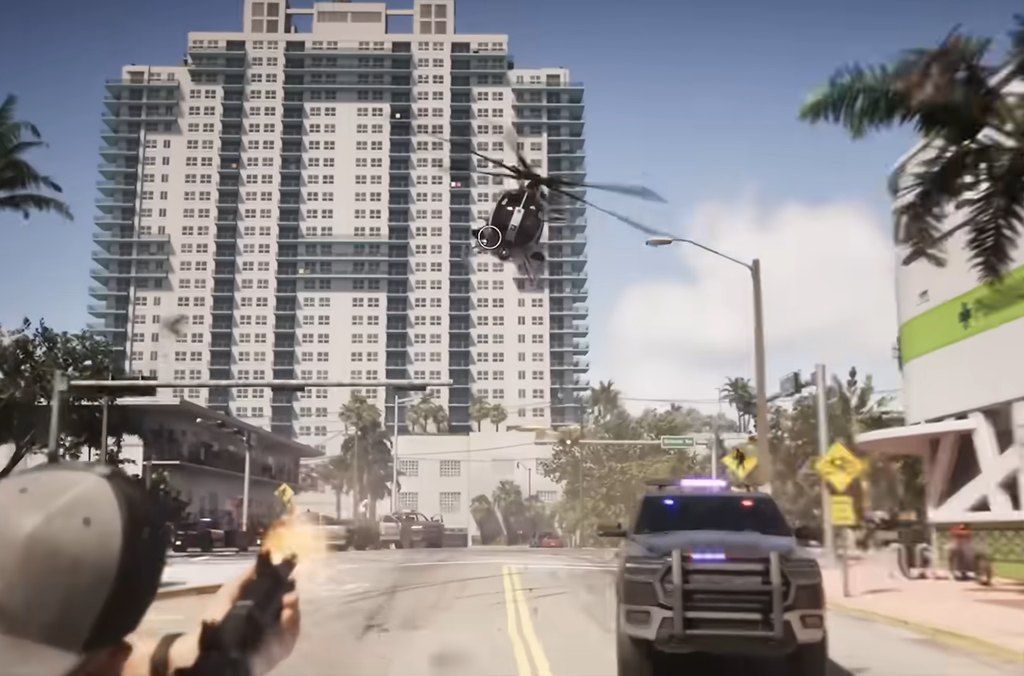
GTA 6’s redesigned mini-map conceals police locations and fills much of its display with heat colors, pushing players to follow the action on the road.
GTA 6’s mini-map functions more like a phone navigation system than a traditional radar display. The iFruit logo appears inside a rectangular panel, while the health and armor rings surrounding the previous circular map are absent. GTA 6 makes its most significant navigation change during police pursuits: the mini-map no longer reveals the precise locations of the officers chasing you.
Quick Answer
GTA 6’s mini-map hides the exact positions of police officers and enemies. During police chases, red and blue flashes cover the display, which identifies only the wider search area or heat zone. This is a navigation system that requires you to locate pursuers by watching the surrounding streets and action directly.
Police Chase Map Changes
GTA 6 police chases remove a familiar escape tool from earlier games. Previously, individual police markers let you study approaching officers and choose an escape route while keeping your eyes on the mini-map. The new display replaces those precise positions with a broad police search zone, while flashing red and blue colors spread across the rectangular panel.
GTA 6’s flashing chase colors obscure a substantial portion of the map, making nearby roads harder to read while police are searching. Rockstar North’s head of development, Rob Nelson, has confirmed the purpose of this approach. The team wants players to spend less time watching a small navigation display during pursuits. The map therefore directs more attention toward the streets ahead, surrounding vehicles, and police activity unfolding around you.
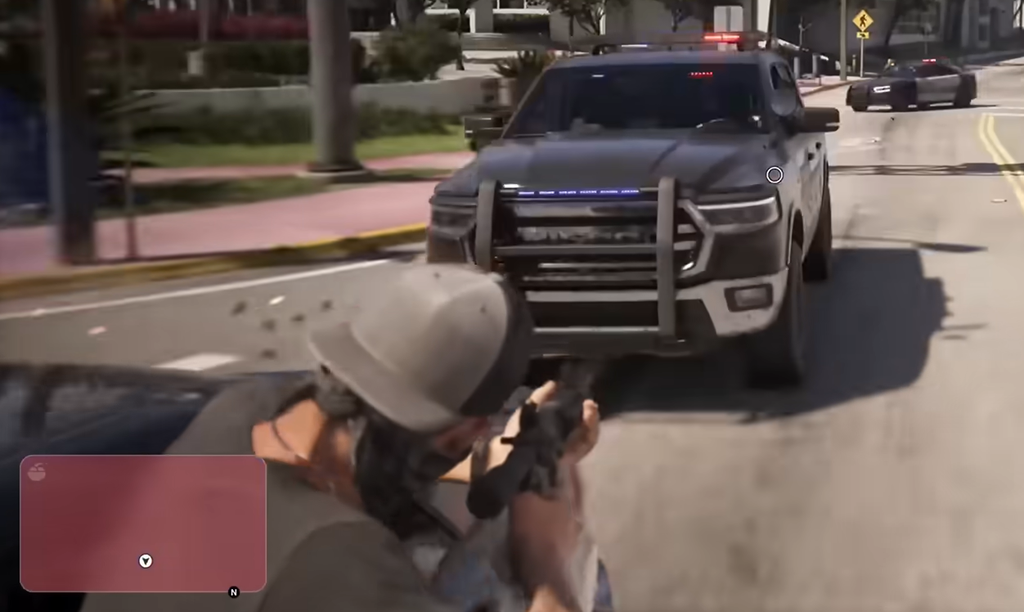
GTA 6’s route guidance still provides one useful reference during a pursuit. With point-to-point navigation enabled, the pink route remains visible beneath the flashing chase colors. Try to follow that line when you need to stay on a selected route while also watching the police and traffic around your vehicle.
Follow AllThings.How
Google’s preferred sources feature lets you prioritize AllThings.How, helping its practical guides appear more prominently the next time you search for useful information.
Heat Zones And Wanted Levels
GTA 6 heat zones form temporarily around the location of a crime. Police establish a perimeter and become more watchful in the surrounding streets. The mini-map communicates that increased pressure through shaded areas, giving you a view of the search zone instead of showing separate markers for each officer.
| Map display | Meaning |
|---|---|
| Solid red zone | The immediate crime location, where police focus their search |
| Wider light-red area | The surrounding region affected by increased police activity |
| Heat across the map | At a six-star wanted level, police heat extends across the entire map |
GTA 6’s hidden police positions change how you judge an escape. You must assess the pursuit through what you can see around you, because the mini-map no longer lets you confirm safety simply by watching police icons move farther away.
Allies, Rivals, And Waypoints
GTA 6’s mini-map continues to display colored markers for relevant characters and destinations, even though police locations remain hidden. These markers help distinguish navigation targets, allies, and race competitors.
| Marker color | Meaning |
|---|---|
| Pink | Story destinations, plus allies in certain situations |
| Cyan | Player-placed custom waypoints and ally markers |
| Green dot | The other playable character when Jason and Lucia are together, depending on the current mission or activity |
| White dots | Other competitors taking part in a race |
iFruit GPS Display Modes
GTA 6’s iFruit GPS presents the mini-map as an in-game navigation device, complete with branding that resembles a phone map or vehicle dashboard screen. The display switches between light and dark appearances according to the time of day and nearby surroundings. Its darker appearance is closer to the GTA 5 map, although the rectangular shape and removal of the health and armor rings give the new interface a distinct look.
GTA 6’s default map setting keeps the display hidden while you are walking. The mini-map appears when you enter a vehicle or activate a waypoint. Classic mode keeps it visible throughout play if you prefer a constant navigation reference. You could also adjust its position to the left or right, use a compass in its place, or disable the map entirely for a clearer view of the game world.
3D Buildings And Entrances
GTA 6’s mini-map renders buildings in 3D, with entrances becoming visible as you approach them. This helps you identify locations that allow entry while keeping the display readable and avoiding a dense spread of icons across the screen.
GTA 6’s building detail extends beyond major landmarks and safehouses. Smaller structures, toll plazas, and wooden buildings with stairways also appear on the mini-map. These features provide a clearer sense of an area’s layout, helping you understand the space around a destination before you arrive.
Set Waypoints With Quick Selection
Open quick selection. Use the D-pad to bring up the destination selection menu. This gives you access to travel options without pausing to open the full map.
Choose your destination. Select the location you want to reach from the available quick selection options.
Place the waypoint. Press R3 to confirm the navigation marker. Custom waypoints appear in cyan, while story destinations use pink. The visible route line continues to provide directions during police pursuits, even when flashing chase colors cover much of the map.
GTA 6’s mini-map places more emphasis on watching Vice City while still offering route guidance. That balance becomes especially clear during police chases, when concealed officer positions and flashing heat colors require you to assess the actual streets, traffic, and escape opportunities around you. Grand Theft Auto 6 is scheduled to launch on November 19, 2026, when players will be able to experience how the redesigned map affects navigation and police pursuits.