GTA 6: How to Switch to Left-Handed Controls on PS5 (Full Button Layout)
GTA 6 on PS5 has a built-in Left-Handed control scheme that mirrors the sticks and shoulder buttons, switched on from the Control Scheme tab.
Left Handed Controls
GTA 6 on PS5 has a built-in Left-Handed control scheme, and GTA 6 Left-Handed controls mirror the controller so the stick and shoulder buttons you normally use with your right hand move to the left, and the other way around. GTA 6 Left-Handed controls need no extra settings or accessibility menus, because the scheme sits among the three presets on the game Control Scheme tab. I think this is one of the better touches in the settings menu, since it costs Rockstar little and changes the game completely for the players who need it.
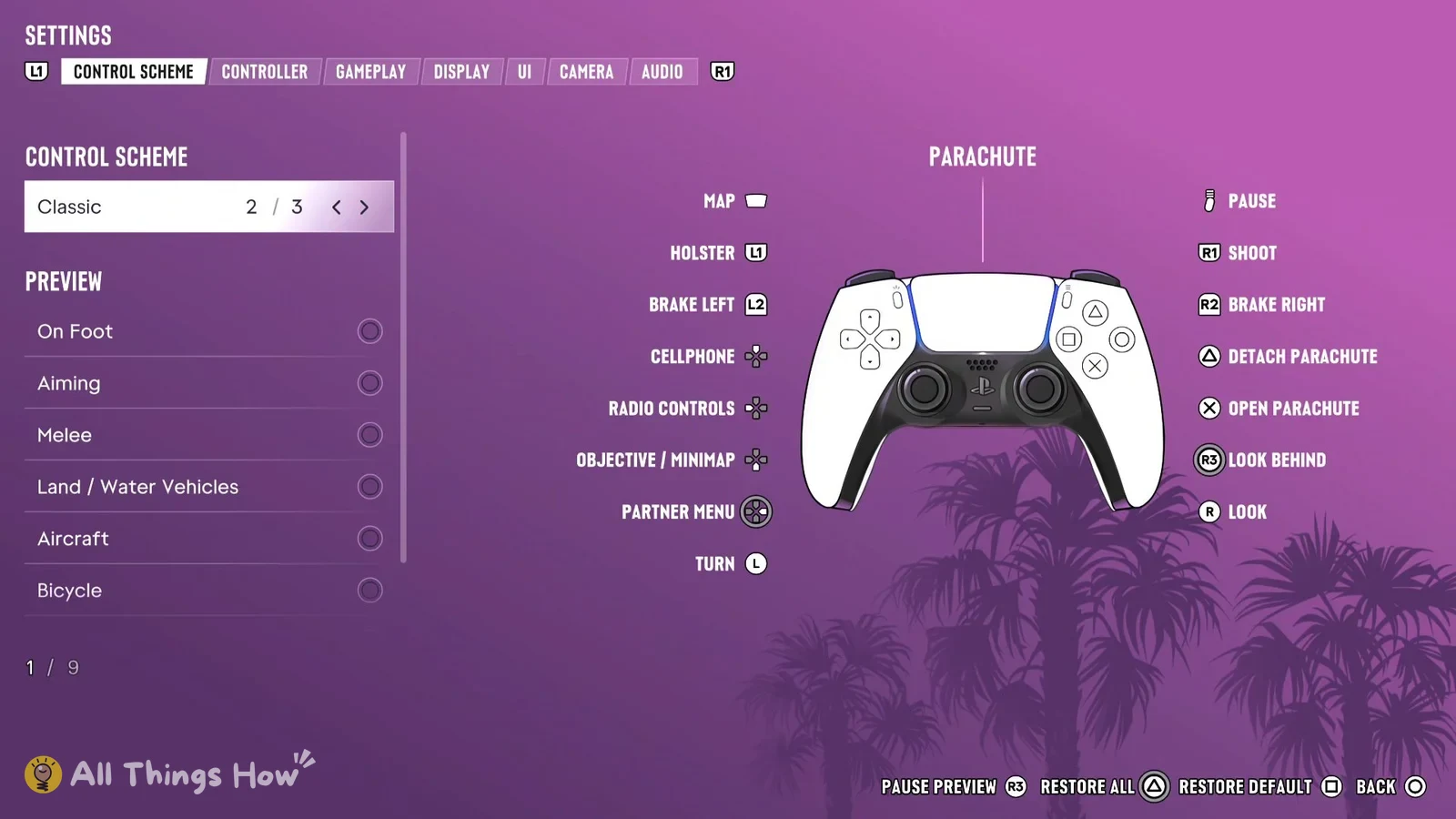
GTA 6 Left-Handed controls switch on through the pause menu, and GTA 6 Left-Handed scheme carries the label Left-Handed (3 / 3). GTA 6 players should pause the game, open Settings, and choose Left-Handed under Control Scheme. GTA 6 Left-Handed layout moves the player with the right stick and looks with the left, while L2 fires and R2 aims. Try to read the preview once before you play. You must give the mirrored layout a full session before you judge it.
Turn On Left Handed Controls
GTA 6 Left-Handed controls start at the pause menu, where the player presses the Options button and picks Settings from the pause menu. GTA 6 presets cycle with left or right presses while the top row stays highlighted, and they run in order as Default (1 / 3), Classic (2 / 3), and Left-Handed (3 / 3). GTA 6 Left-Handed preset sits last in that order, so two presses right from Default land on it.
GTA 6 preview list sits below the scheme row, and GTA 6 players should scroll down to it and select On Foot to check the new layout. GTA 6 preview list holds 9 rows covering On Foot, Aiming, Melee, Land / Water Vehicles, Aircraft, Bicycle, and more, so you can look over each situation before going back into the game.
Left Handed Versus Default
GTA 6 Left-Handed on foot layout flips the sticks and the shoulder buttons, and GTA 6 Default layout keeps them in the usual places. GTA 6 Left-Handed cover moves to L1 while holstering moves to R1, and GTA 6 Left-Handed running moves to R3 while looking behind moves to L3.
| Button | Left-Handed | Default |
|---|---|---|
| Left stick | Look | Move |
| Right stick | Move | Look |
| L1 | Cover | Holster |
| R1 | Holster | Cover |
| L2 | Shoot | Aim / Interact |
| R2 | Aim / Interact | Shoot |
| L3 | Look Behind | Run |
| R3 | Run | Look Behind |
| Triangle | Interact | Interact |
| Square | Melee | Melee |
| Circle | Crouch | Crouch |
| Cross | Jump / Climb | Jump / Climb |
| Touch pad | Map | Map |
| Options | Pause | Pause |
GTA 6 Left-Handed running sits on R3, which means you click the same stick you move with to sprint, just as you would with the left stick in Default. GTA 6 Left-Handed scheme changes the hands, not the whole controller, and that keeps the learning curve short.
Left Handed Layout for Vehicles
GTA 6 Left-Handed look stays on the left stick in vehicles, and GTA 6 Left-Handed turn sits on the right stick, so the two sticks split looking and steering the same way they split looking and moving on foot.
| Button | Left-Handed |
|---|---|
| Left stick | Look |
| Right stick | Turn |
| L1 | Shoot |
| R1 | Holster |
| L2 | Accelerate |
| R2 | Brake / Reverse |
| L3 | Look Behind |
| R3 | Horn / Nitrous |
| Triangle | Exit Vehicle |
| Square | Melee |
| Circle | Headlights |
| Cross | Handbrake |
| Touch pad | Map |
| Options | Pause |
What Left Handed Swaps
GTA 6 Left-Handed scheme flips four pairs of controls from one side of the controller to the other, and GTA 6 players should know those four pairs by heart. GTA 6 Left-Handed sticks swap Move to the right stick and Look to the left stick. GTA 6 Left-Handed L1 and R1 swap Cover to L1 and Holster to R1. GTA 6 Left-Handed L2 and R2 swap Shoot to L2 and Aim / Interact to R2. GTA 6 Left-Handed L3 and R3 swap Run to R3 and Look Behind to L3. GTA 6 face buttons, D-pad, touch pad, and Options button keep the same jobs in both schemes, so Cross still jumps and climbs, Square still handles melee, and Circle still crouches after you switch. GTA 6 Left-Handed scheme works best when you give it a full session before judging it, because the first hour feels backwards and the second hour starts to click, and I think players who stick with it past that hump rarely switch back.