GTA 6 Reset a Stuck Vehicle Guide
GTA 6 frees a boat or car wedged on a sandbar without a reload, since a press of the touch pad resets the vehicle to the nearest road or water.
Reset a Stuck Vehicle
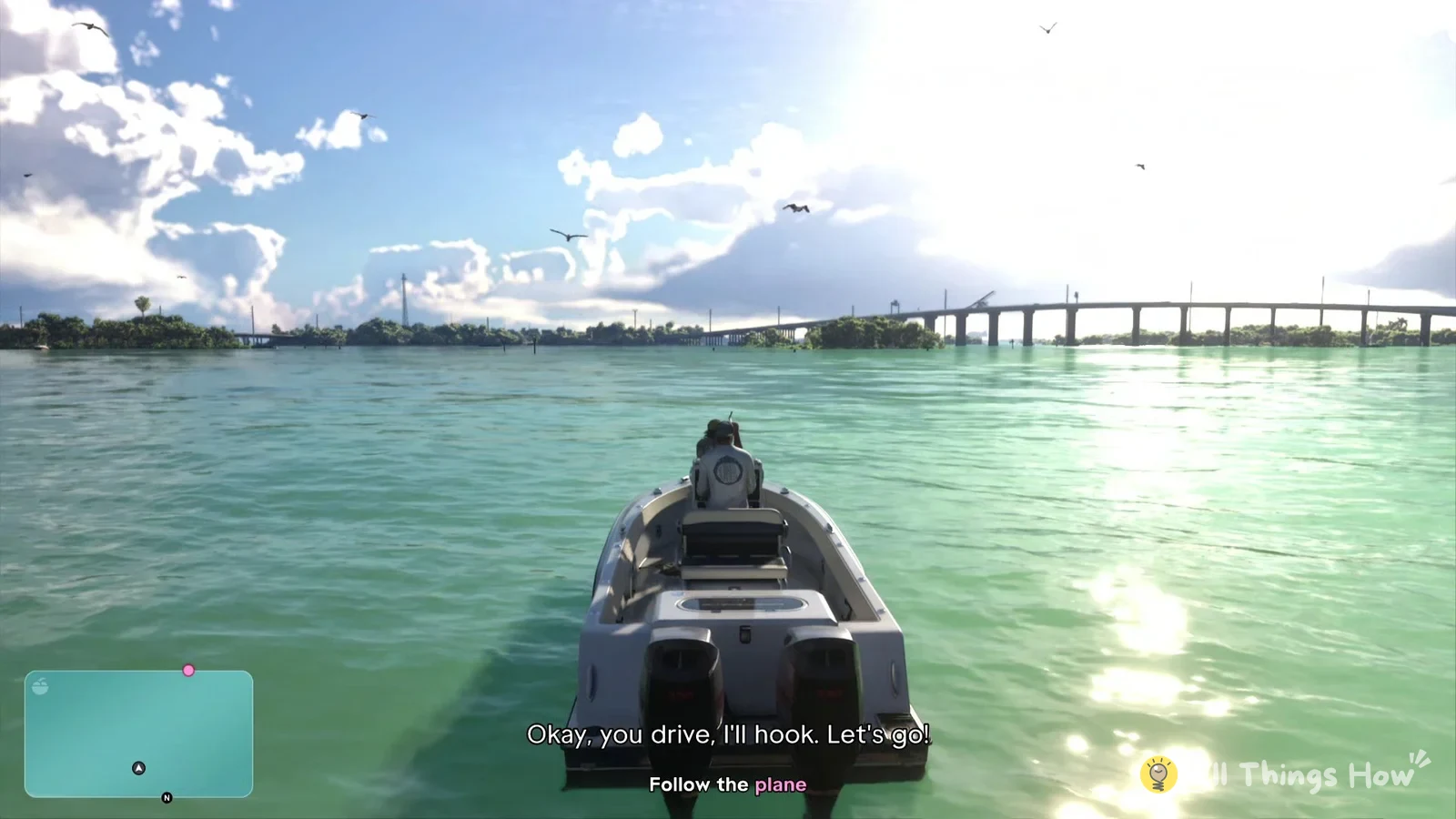
GTA 6 stuck vehicle trouble can leave a boat wedged where steering will not shift it, and a sandbar beside the mangroves in the "Gone Fishing" mission in Chapter 1 shows how quickly that happens. One wrong turn puts the hull up on sand, the propeller bites at nothing, and the boat sits there while the mission waits. In my view that habit comes from older games where a stuck car often wriggled loose with enough throttle, and here it wastes time. The game gives you a way to free it without restarting anything, and on PS5 that way runs through the touch pad. You do not lose progress, you do not reload a save, and the fix takes only a few seconds once you know where to look.
GTA 6 stuck vehicle trouble has a short answer once the prompt shows up. Once "RESET" appears in the screen's bottom-right corner, keep the touch pad held. The display turns black, then the vehicle returns and can move freely. You hold one button, the screen fades, and the boat comes back in open water. This is the part to get right, because a quick tap will not do the job. The game wants a hold, not a press, and the ring around the touch pad icon spells that out on screen. Try to keep your thumb steady and wait for the fade to start instead of lifting off early and wondering why nothing changed. A hold changes the result, and when the picture comes back you should test the throttle right away.
Hold Touch Pad to Reset
GTA 6 stuck vehicle trouble shows its prompt in a fixed place, so look for the "RESET" prompt at the bottom right of the screen once your vehicle is stuck. It sits next to a touch pad icon with a ring drawn around it, which is the game's way of telling you to hold the button rather than tap it. In the sandbar example, an "Engine damaged" notice also shows on the right side of the screen at about the same time. The ring matters here. A plain button icon would suggest a tap, while a ring around the icon suggests a hold, and the game uses that small visual difference to carry the whole instruction. Once you spot the prompt, you know the game has recognised the stuck state.
GTA 6 stuck vehicle trouble clears when you press and hold the touch pad while the prompt is on screen. Keep holding for about 2.5 seconds, until the screen starts to fade to black. That timing feels longer than a normal button press, and I think that is deliberate. A hold of about 2.5 seconds gives the game time to tell a tap apart from a reset command, and it gives you time to change your mind if you pressed the pad by accident. You must keep your thumb down through the whole count, even if nothing seems to happen in the first second. Could a shorter hold work sometimes? The source gives about 2.5 seconds as the figure, so I would not gamble on a shorter press.
GTA 6 stuck vehicle trouble ends with a short wait after the hold. Wait for the fade to finish. A few seconds later the picture comes back with your vehicle free again. In the boat's case, it ends up back on open water, the mission target is still ahead of you on the minimap, and the mission keeps going from there, so you can carry on toward your objective. That return to open water matters more than it sounds. The game does not drop you at the start of the mission, and it does not place you on dry land or in a random spot far from the route. It puts the boat where it can move, with the target still marked ahead, and the rest of the mission flows on as if the sandbar never happened. Check the minimap after the picture returns, and steer around the sandbar this time.
Touch Pad Map Reset
GTA 6 stuck vehicle trouble shares its button with the map, so with the Default controls, pressing the touch pad on its own opens the map. It only resets your vehicle when the "RESET" prompt is showing and you hold the button down. This is the detail that trips people up, in my view, because the same button does two different jobs and the difference comes from context and timing, not from a different button. A tap on its own opens the map, every time, in normal play. A hold does nothing special in normal play either, unless the "RESET" prompt has appeared. The game reads the situation first, then reads your input, and only the combination of prompt plus hold triggers the reset. If you tap the pad and the map fills the screen, you have not broken anything.
GTA 6 stuck vehicle trouble still has a fallback when the prompt never appears. If the RESET prompt never shows up while you're on a mission, press Options and choose Retry Checkpoint from the mission panel on the right. That reloads the last checkpoint, with your vehicle back where it can move. This is a longer fix than the touch pad hold, and I think players should treat it as the second option, not the first. The checkpoint reload puts you back at a safe point, with the vehicle placed where it can drive or sail again, and the mission resumes from that point. You could lose a small stretch of progress between the checkpoint and the spot where you got stuck, and that trade feels fair when the alternative is sitting wedged with no prompt and no way forward. Once the checkpoint loads, check your surroundings before you move, and steer clear of the obstacle that trapped you the first time.