Punch Block Grapple in GTA 6 PS5
GTA 6 melee controls use Square to punch, Cross to block or dodge, L2 to lock on, and R2 to grapple on the PS5 default layout.
GTA 6 Melee Controls
GTA 6 melee controls use the face buttons and triggers on the DualSense, and the game puts you in a fist fight early on, during the Chapter 1 mission Gone Fishing as Jason. GTA 6 melee controls cover punching, blocking, dodging, locking on, strafing, and grappling, and the buttons below match the Default control scheme on PS5. GTA 6 melee controls feel simple on paper, four buttons for the whole fight, and the fight itself teaches them in order, so you learn each move right when the game asks for it.
GTA 6 melee controls boil down to a short answer. Use Square for a punch or kick. Cross blocks or dodges, holding L2 locks on as you strafe, and R2 starts a grapple. Try to hold L2 through the whole fight, since the lock on keeps Jason facing the right way while your other thumb works Square.
Melee Buttons Default
GTA 6 melee controls list eight buttons for melee when the Default control scheme stays selected. Square throws a punch or kick, Cross blocks or dodges, L2 locks on and strafes, R2 grapples, the left stick moves, the right stick looks, the touch pad opens the map, and Options pauses. Those eight rows cover the fight and the world around it, and the first four do the fighting while the last four keep you oriented. Square does the most work by far, and the rest support it, so a new player can win the first fight on Square and L2 alone.
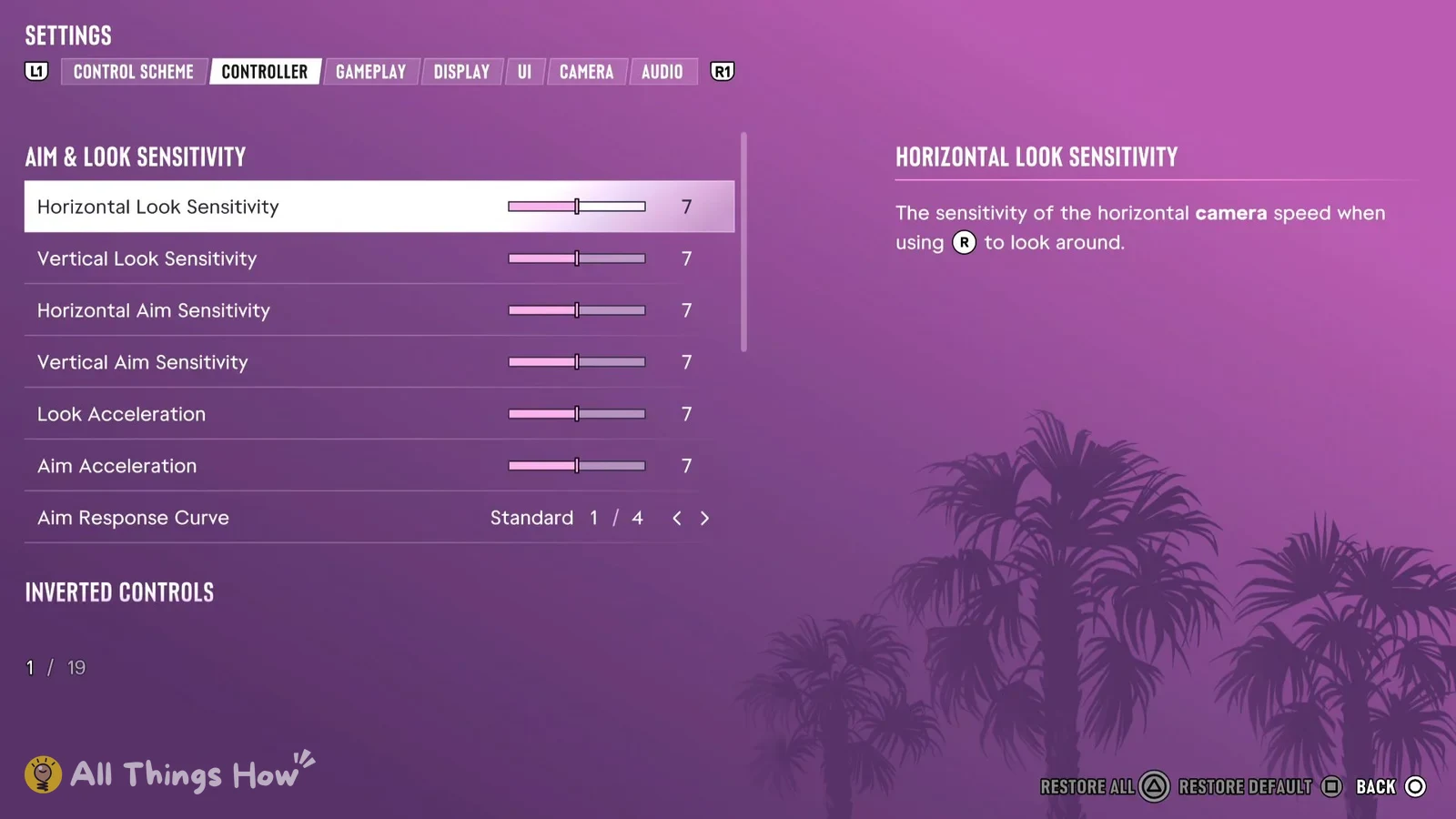
GTA 6 melee controls live in Settings for anyone who wants to check them. You can check this list yourself in Settings, then Controller, then Control Scheme, where the preview pages include one called Melee. The On Foot page in the same menu also lists Square as Melee, so it shows the same button you use to start swinging when you walk around with nothing in your hands. That match between the two pages matters, since it tells you Square means melee everywhere on foot, not only inside a scripted fight.
GTA 6 melee controls change with the scheme, so the list above carries a limit. GTA 6 has more than one control scheme, and these buttons only apply to Default. If you have switched to another scheme, open the same menu to see where melee sits on yours. A switched scheme moves buttons around, and guessing from memory lands you on the wrong button mid fight. Check the Melee page after any scheme change, and the check takes seconds. Could you relearn the fight on a new scheme without checking. Yes, and the tips on screen still name the right buttons for your scheme, but a quick look at the preview beats learning under pressure.
Win First Fist Fight
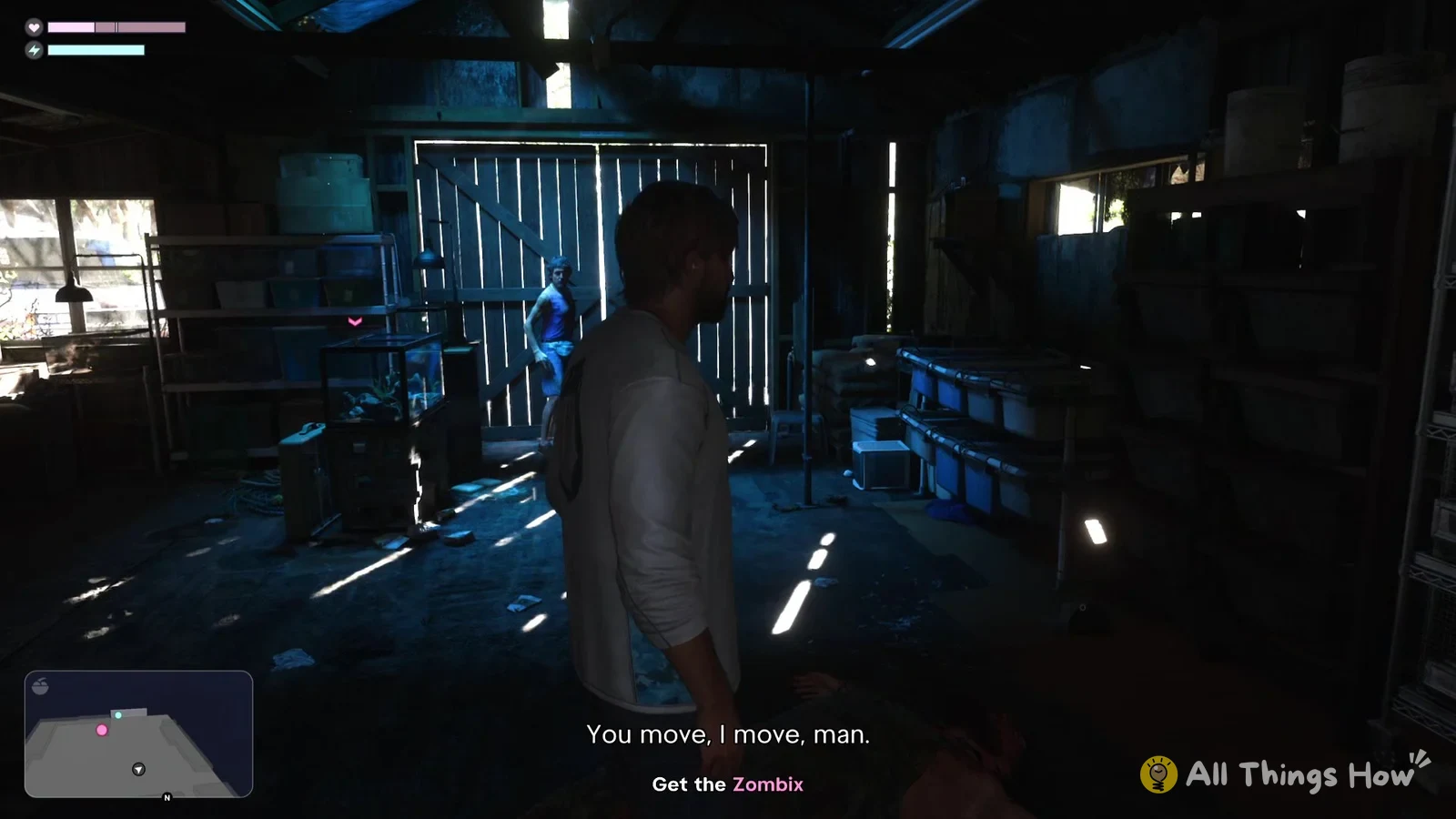
GTA 6 melee controls meet their first test inside the shack in Gone Fishing. Leave your weapon alone when the fight kicks off. Jason starts with his fists, and the tip along the bottom of the screen says Press Square to fight. That tip names the only button you need to start, and it appears the moment the fight begins, so you never stand still wondering what to press. A weapon would change the fight entirely, and the game wants fists here, so keep your hands empty and let Square do the work.
GTA 6 melee controls lean on L2 for positioning. Hold L2 to lock on to your opponent. Keep it held for the whole fight so Jason stays facing them and strafes around them when you move the left stick. That hold does two jobs at once, and both matter. Facing the opponent keeps your punches landing, and strafing keeps you circling instead of standing still while they swing. Let go of L2 and Jason turns with the stick instead of with the fight, and the punches start missing. I think L2 matters more than Square here, since Square without a lock throws punches at empty air.
GTA 6 melee controls win this fight with repetition. Keep tapping Square while you hold L2. Repeated punches win this one, and you will know it ends when your opponent lands on the floor and the next objective shows up on screen. No combo or timing trick hides in this fight, and the game asks for steady taps rather than clever ones. Tap at a rhythm you can hold, watch the opponent stagger, and keep going until the floor and the new objective tell you to stop.
GTA 6 melee controls leave you hurt after the fight, and the game teaches healing right away. Check your health bar, the one with the heart icon at the top left of the screen, because it will probably sit low after the fight. Heal by holding L1 and pressing Square, which the same mission teaches you right after the fight. That heal uses a Zombix from the loadout wheel, and the tip for it appears as soon as the fight ends. Cross and R2 sit there if you want to block, dodge or grapple during the fight, but locking on with L2 and pressing Square takes you through it and moves the mission along. Must you master the grapple to finish this mission. No, and in my view the grapple waits for a later fight, while this first fight rewards the simplest plan, hold L2, tap Square, heal after, and walk on.