Reverse in GTA 6 on PS5 Hold L2
GTA 6 maps reverse to the brake trigger on PS5, so holding L2 backs the car up while the left stick steers and R2 drives forward again.
GTA 6 Reverse on PS5
GTA 6 reverse on PS5 starts the moment the game hands you your first car, and that car sits parked nose in. GTA 6 reverse on PS5 matters before you can drive anywhere, because the car faces into its space and the road sits behind you. On PS5 with the Default controls, backing out runs through the left trigger, and the move takes seconds once you know it. GTA 6 reverse on PS5 trips up new players for a simple reason, since most games map reverse to a stick or a button, and here the brake trigger does the job.
GTA 6 reverse on PS5 boils down to three moves. Hold L2 to brake and reverse, steer with the left stick, and press R2 to drive forward. Try to hold L2 gently at first, since a light press backs the truck out slow enough to steer, and a hard press sends it out fast enough to hit the car behind you.
Reverse Jason Ganado
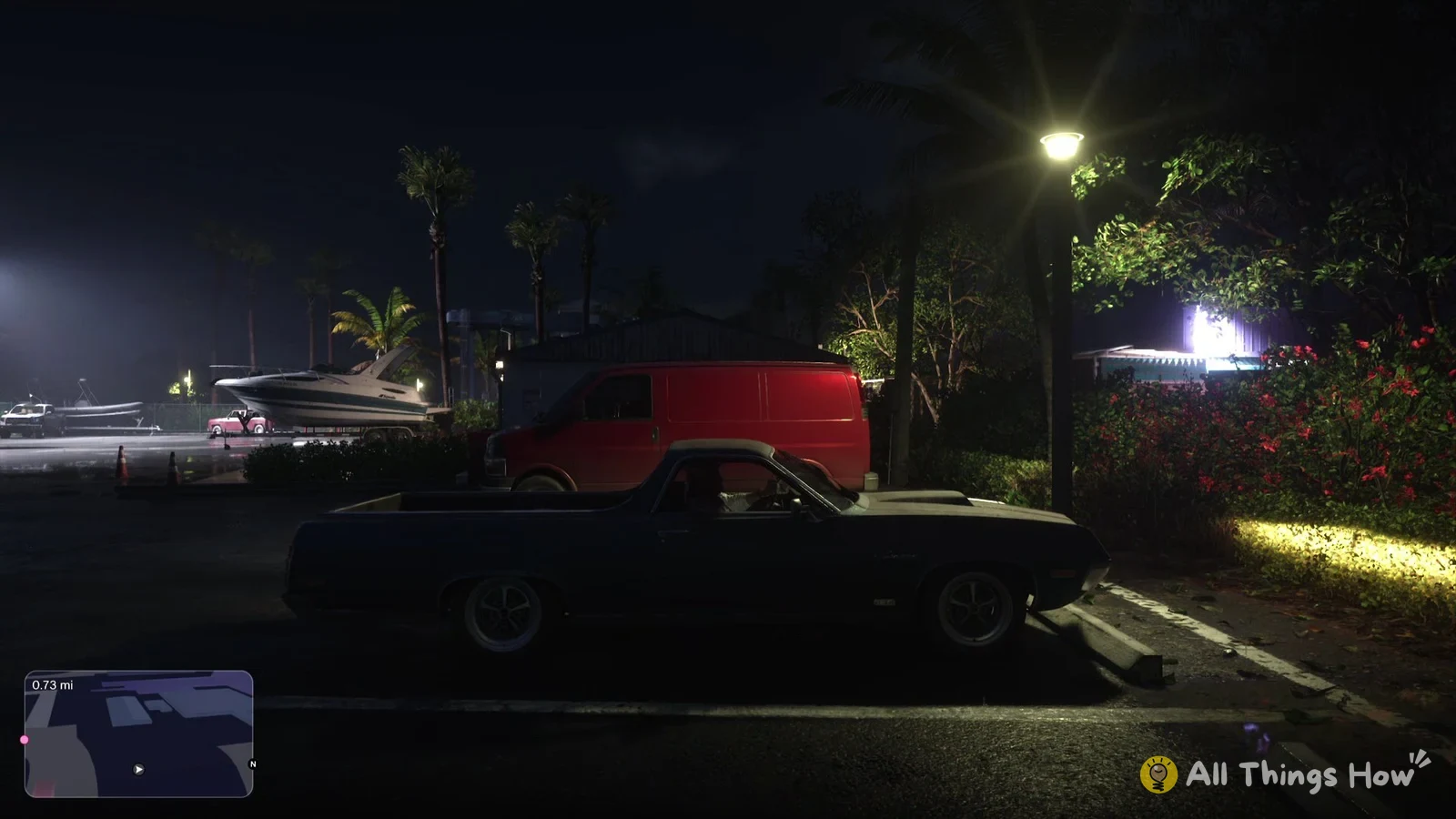
GTA 6 reverse on PS5 first shows up at the end of the Chapter 1 mission Gone Fishing, playing as Jason. His own car, a rusty teal pick up, sits parked at Brian marina, facing into its space. The mission ends with a drive, and the car waits nose in, so the game teaches reversing at the exact moment you need it. That timing helps, since you learn the move on a real car in a real space instead of in a tutorial box. Walk up to the truck and the game waits for you to get in, with no rush and no timer.
GTA 6 reverse on PS5 starts with getting in the truck. Walk up next to the driver door and press Triangle to get in. A card shows up in the bottom left corner of the screen with VAPID and JASON S 70 GANADO, and your objective changes to Drive to Cal house. That card names the car and its maker, and the objective change tells you the next drive starts now.
GTA 6 reverse on PS5 uses the help box as much as the trigger. Hold L2 to back the truck out of the space. As soon as you are in, a help box at the top left of the screen reads Hold L2 to reverse. While you are holding L2, push the left stick to steer, and the back of the car swings toward whichever way the stick points, which angles you out of the space and lines the nose up with the road. That steering feels backward at first, since the rear swings where the stick points, and the nose follows. Push the stick left and the tail swings left, then the nose swings right, and you roll out facing the road.
GTA 6 reverse on PS5 ends with a simple swap of triggers. Once you are clear, let go of L2 and press R2 to drive forward. R2 works as the accelerator, so you will drive with R2 and the left stick from here, and reach for L2 whenever you need to slow down or back up. That swap marks the real lesson of the first reverse, since L2 and R2 share the job of speed, one for backward and one for forward, and your fingers learn to trade between them without thinking. Let go of L2 fully before you press R2, since holding both at once fights the truck.
GTA 6 reverse on PS5 also saves you when the truck gets stuck. If you have driven the Ganado into a wall or another car and it sits stuck there, hold L2 for a second or two to back off before you set off again with R2. Try to back off straight first, then steer, since steering while wedged against a wall only grinds the truck along it. Could you rock the truck with quick taps of L2 and R2. Yes, and a stuck car sometimes needs that rocking, but a single steady L2 hold clears most jams without the fuss.
Camera While Reversing
GTA 6 reverse on PS5 moves the camera as well as the car. As the car rolls backward, the camera turns to look toward the back of the car. That swing shows you where the tail goes, which matters more than the nose while you reverse out of a tight space. A driver who watches the screen instead of the truck reads the reverse through that camera, and the swing keeps the tail in view.
GTA 6 reverse on PS5 swings the camera back just as smoothly when you drive forward again. Press R2 to drive forward, and after a second or two the camera rotates to follow behind the car. That delay lasts a second or two, and the view settles behind the truck once the forward motion holds. Wait for the settle before you judge your line, since steering against a camera that still swings only adds a wobble to the exit.
GTA 6 reverse on PS5 asks for one habit above all, and that habit runs through every reverse after this one. Hold L2, steer with the tail in mind, and swap to R2 only when the nose points at open road. Try to practice the swap on a quiet stretch after the marina, since an empty road lets you feel the trigger weights without traffic in the way. Must you look at the help box every time you reverse. No, and the box fades once the move sticks in your hands.