Sea Plane Controls in GTA 6 Gone Fishing
GTA 6 sea plane controls appear in the Chapter 1 mission Gone Fishing, where R2 accelerates, the left stick steers, and Square or Circle work the rudder.
GTA 6 Sea Plane Controls
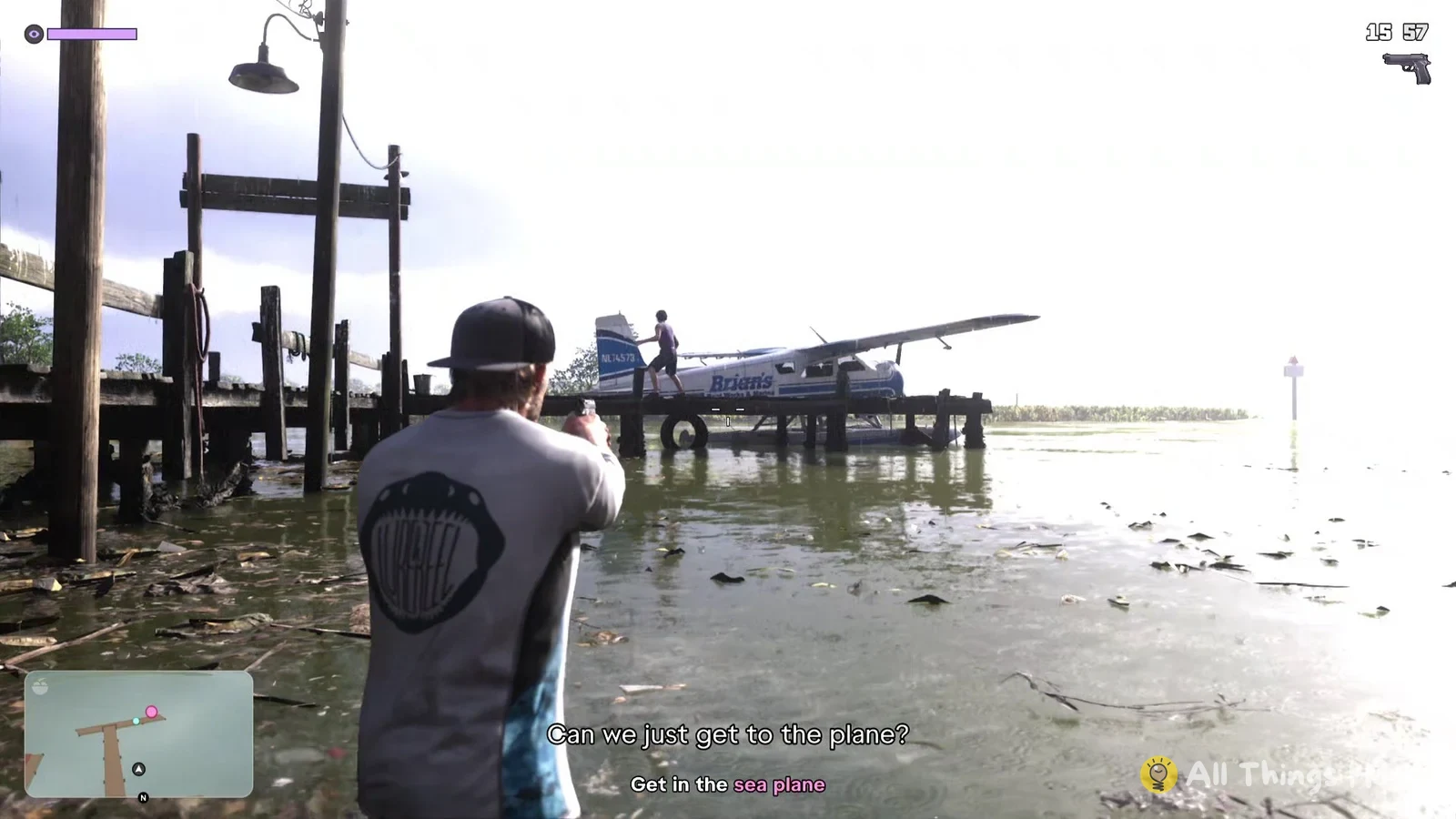
GTA 6 sea plane controls first appear during Gone Fishing, a Chapter 1 mission where you play as Jason. GTA 6 sea plane controls belong to a white and blue float plane with Brian painted on the side, and you climb into it when the objective reads Escape the camp. GTA 6 sea plane controls use the PS5 default layout, and the buttons below match that layout exactly.
GTA 6 sea plane controls boil down to a short answer. On PS5, hold R2 to accelerate and use the left stick to take off and turn, and hold Square or Circle for the rudder. To land, drop low over open water and let go of R2. Try to keep R2 held through the early part of the take off, since letting go too soon drops your speed and the plane settles back onto the water.
Sea Plane Buttons
GTA 6 sea plane controls announce themselves on screen the moment you sit down. Once you are seated, check the screen top left corner for the first control prompt. R2 Accelerate appears with a left stick icon and Take Off beneath it. The next tip pops up right afterward and explains the rudder. Read both before you push anything, since the plane starts moving the moment R2 goes down.
GTA 6 sea plane controls map to a small table, and the table below lists every button with its job. R2 accelerates, the left stick takes off and turns the plane on the water, and holding Square or Circle works the rudder in the air or on the water.
| Button | What it does |
|---|---|
| R2 | Accelerate |
| Left stick | Take off; turns the plane on the water |
| Hold Square or Circle | Rudder, in the air or on the water |
GTA 6 sea plane controls give the rudder two buttons for one job. The rudder tip reads Hold Square or Circle to use the plane rudder while flying or on the water. Square and Circle both steer the tail, and either one does the job, so use whichever thumb feels natural. I think most players settle on Square and forget Circle exists, and that works fine, since the game never asks for both at once.
Take Off From Water
GTA 6 sea plane controls build speed slowly on the water, and patience matters more than force here. With R2 held, the plane rolls over the water and builds speed gradually. If you need to line up first, keep R2 down and push the left stick to either side to turn the plane on the water.
GTA 6 sea plane controls change the minimap once you sit in the plane. While you are in the plane, the minimap changes too. It reads about 5 ft while you are sitting on the water and climbs once you are airborne, up to figures like 582 ft in flight, so it gives an easy way to check whether you have actually left the surface.
GTA 6 sea plane controls punish contact with land and trees. Hitting land or trees can destroy the plane and fail the mission with THE PLANE WAS DESTROYED. The mangroves around the camp clip easy, and a run into them ends the flight fast.
GTA 6 sea plane controls offer three choices on the fail screen, and one of them skips the hard part. The fail screen gives you three choices. Retry Checkpoint with Cross puts you back to try again, Restart Mission with Triangle starts Gone Fishing over, and Skip Checkpoint with Square drops you straight into the air with the plane already flying and the objective changed to Land near the docks. If the take off keeps going wrong, Skip Checkpoint gets you past it.
Land Near Docks
GTA 6 sea plane controls make landing a matter of height and patience, not of buttons. Bring the plane down low over open water, away from land and trees. Keep an eye on the height readout on the minimap as you come down.
GTA 6 sea plane controls need only one move to land. Let go of R2. With no throttle the plane settles onto the water on its own and keeps gliding forward. You will know you are down when the height readout drops to about 6 ft. That number matches the 5 ft reading from the take off, and the small difference comes from the glide, so treat anything near 6 ft as down. Do not push the stick or tap R2 once the floats touch, since the plane handles the rest and extra input only steers you toward something solid.
GTA 6 sea plane controls change the objective the moment you land. Check the objective. Taxi to the marina by holding R2 gently and steering with the left stick. Going easy on the throttle keeps the plane slow enough to steer around the docks. A gentle R2 press moves the plane at taxi speed, and the left stick turns it the same way it turned it before take off.
GTA 6 sea plane controls reward a slow finish. Try to approach the marina at the slowest speed that still steers, since the docks leave little room for a fast turn. Must you rush the last stretch. No, and the mission waits for you once the plane sits on the water, so take the wide line around the dock posts. Slow hands, open water, and the altitude number in the corner beat fast thumbs every time.