Take Cover and Shoot in GTA 6
GTA 6 teaches cover in the RV park shootout, where R1 takes cover, L2 aims from it, and R2 fires while L1 draws or holsters your weapon.
GTA 6 Take Cover
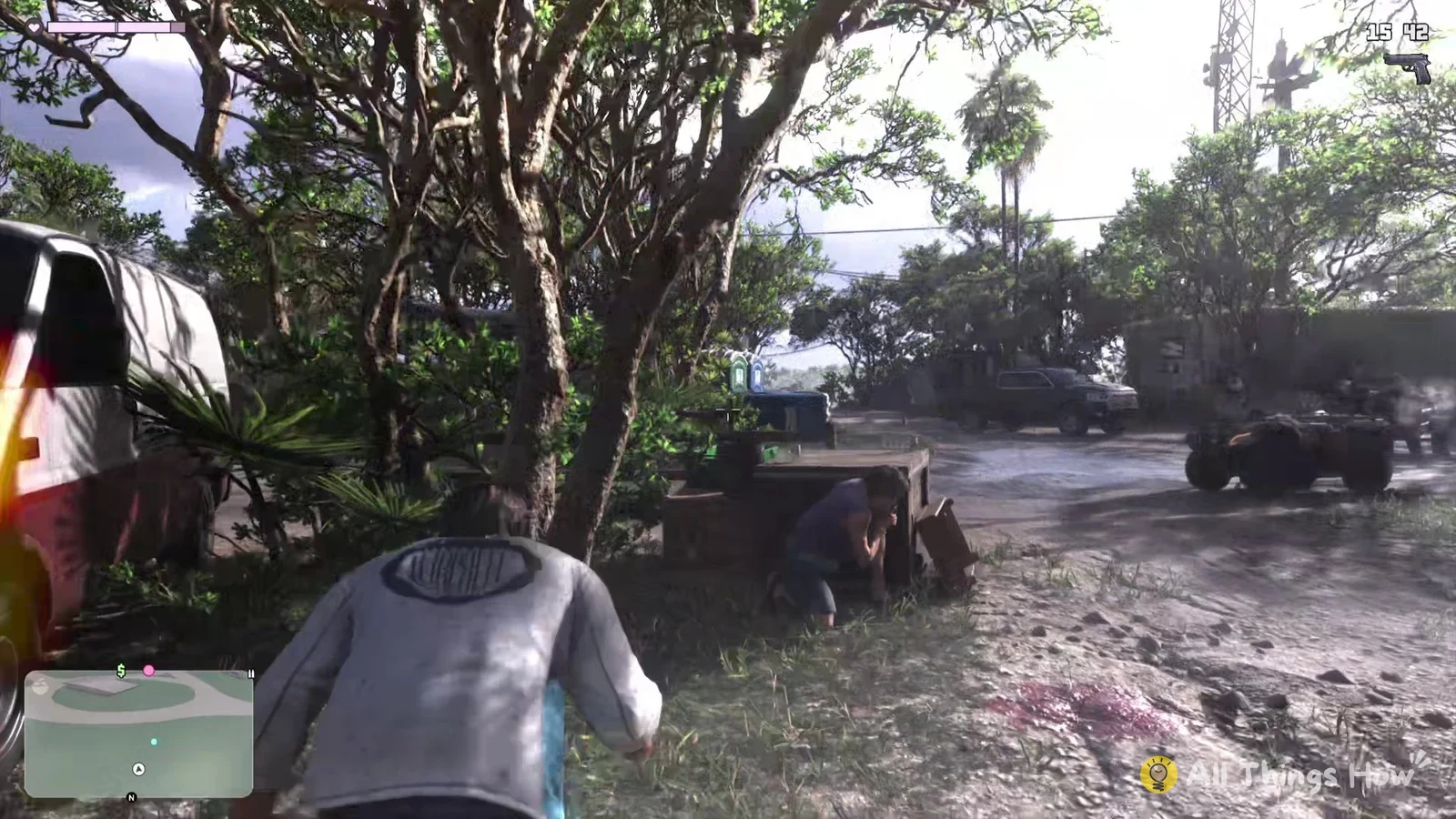
GTA 6 take cover teaches itself in its first real gunfight, the shootout at the RV park in the Chapter 1 mission Gone Fishing, where you play as Jason. GTA 6 take cover starts the moment the shooting starts outside the shack, when a tip box at the top left of the screen tells you Press R1 to take cover. GTA 6 take cover uses that tip as the opening lesson, and the rest of the controls come up as tips during the same fight, one at a time, right when each one matters.
GTA 6 take cover boils down to a short answer. Get beside a wall, car or tree, then hit R1 to take cover. Hold L2 to aim from cover and press R2 to fire. Tap L1 to pull out your gun or put it away. Try to find cover before you draw your gun, since a drawn gun in the open invites fire while you still look for a wall.
Cover and Shoot Steps
GTA 6 take cover uses the Default controller layout on PS5, and the steps below match that layout. Move right up next to something solid you can hide behind, like a wall, a car or a tree. Stand close enough to touch it, since R1 needs an object within reach, and a wall a step too far away leaves you standing in the open pressing a button that does nothing. Walls, cars, and trees all work, and the RV park offers all three within a few steps of the shack.
GTA 6 take cover starts with R1. Press R1 to take cover. Your character presses up against the object, so beside a tree, Jason presses up against the trunk. That press against the object tells you the cover took hold, and you can see it and feel it in the same moment. A character who stands a half step off the wall has not taken cover yet, so shuffle closer and press R1 again.
GTA 6 take cover lets you shoot without leaving it. Hold L2 to aim. Let go of L2 and Jason pulls back behind the cover, which gives you a safe moment to breathe, reload, or pick a new target.
GTA 6 take cover fires with R2 while L2 stays held. Press R2 to shoot while you still hold L2. During a firefight, watch the screen edge for a red glow that points to the side the shots come from. That glow works as a direction finder, and it tells you which side to lean out from before you aim.
Aiming Controls Table
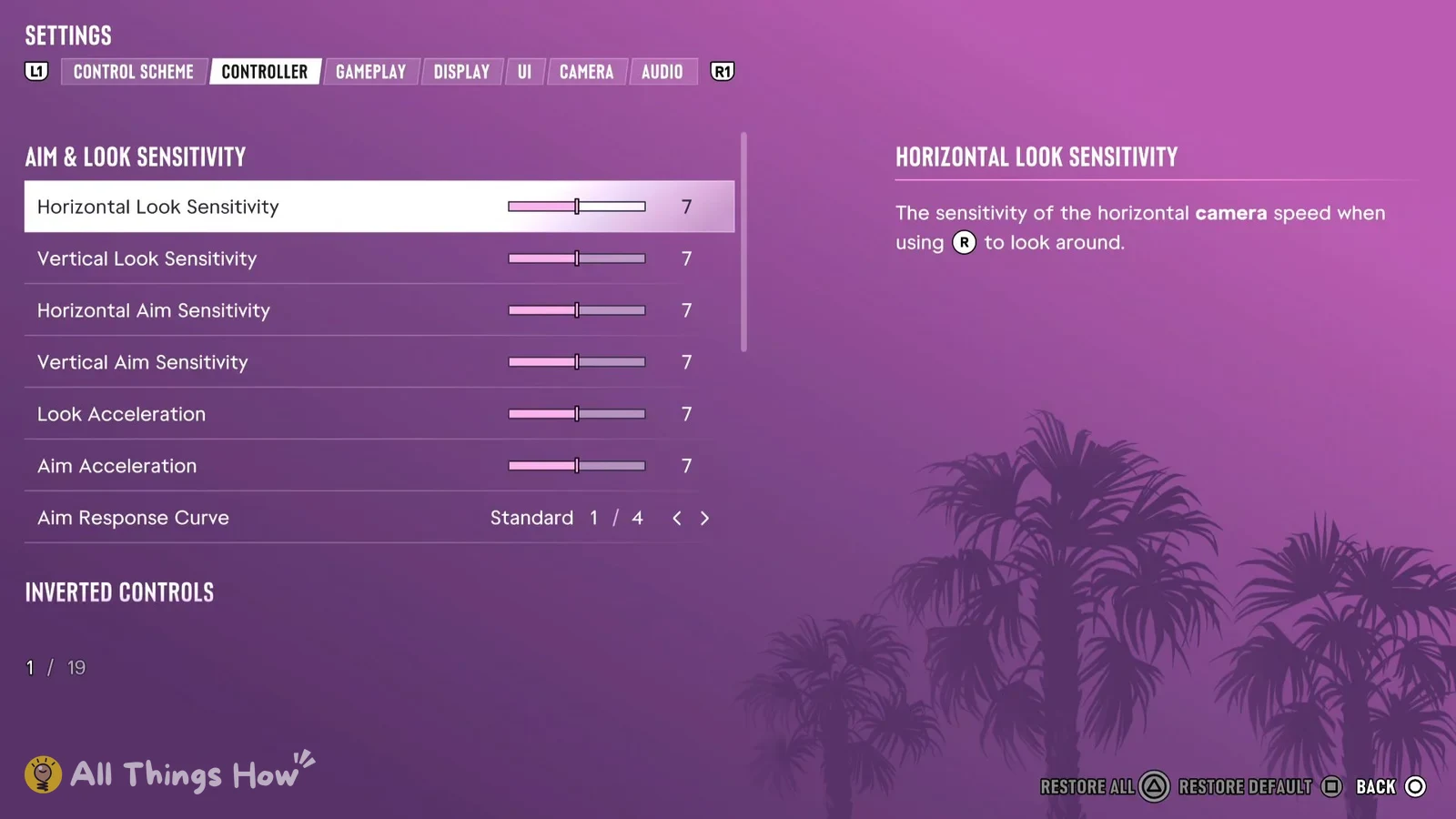
GTA 6 take cover shares its buttons with the aiming set, and the table below lists the full set. You can check the full set under Settings, then Controller, in the Aiming Default preview.
| Button | Action |
|---|---|
| R1 | Cover |
| L2 | Aim |
| R2 | Shoot |
| L1 | Holster |
| D-pad left | Switch shoulder |
GTA 6 take cover uses D-pad left for a small move with a real payoff. Switch shoulder moves the gun to the other side of your body, which changes which edge of the cover you lean out from. Try to switch shoulders when the cover sits on the wrong side, since leaning out the far edge exposes more of Jason than you need to show. Could you finish the RV park fight without ever switching shoulders. Yes, and many players do, but the switch costs one tap and buys a tighter lean.
Holster Nonlethal Shots
GTA 6 take cover pairs with a holster tip that arrives in the same fight. The game tip for it reads Press L1 to quickly equip or holster your gun. That move helps right before you duck into cover, so you do not sit stuck behind a car with empty hands. A holstered gun also changes how you move through the park between waves, since Jason walks calmer with the gun away, and the L1 tap brings it back the moment shooting starts again. Tap L1 once to draw, tap it again to put the gun away, and the swap takes less time than opening any menu.
GTA 6 take cover does not always mean killing the people shooting at you. Another tip in the same fight says Incapacitating targets with non-lethal shots will take them out without killing them. That tip opens a choice inside the gunfight, and it matters for players who want to end a fight without a body count. Aim for the same targets, shoot the same way, and the game counts the incapacitation as a win without a kill.
GTA 6 take cover rewards patience between shots. Try to lean out, fire a few rounds, and pull back, instead of holding the lean until your clip runs dry. Must you stay in one cover spot for the whole fight. No, and moving between a car, a wall, and a tree keeps the enemies guessing while you keep a solid object between you and them. In my view the RV park fight teaches cover as a rhythm, not a place, and that rhythm runs through every shootout after it. Find something solid, press R1, lean with L2, fire with R2, pull back, and move when the red glow tells you the fire comes from a new side.