Turn-by-Turn GPS Directions in GTA 6
GTA 6 GPS directions combine a pink route line, a distance counter, and a next turn box on the minimap so you can drive without opening the full map.
GTA 6 GPS Directions
GTA 6 GPS directions give you turn by turn guidance when a mission sends you somewhere by car. GTA 6 GPS directions live on or near the minimap, so you can follow a route without opening the full map. Everything sits where your eyes already go while driving, and that placement matters, because opening the big map mid drive costs you the road. GTA 6 GPS directions use a pink route line, a distance counter, and a next turn box, and the three pieces work together from the moment you pull away.
GTA 6 GPS directions answer a simple question with a yes. That short answer covers the whole system, and the rest of this page breaks the three pieces apart, then follows one real drive to show them working together. Try to watch the next turn box more than the pink line, since the box tells you the turn in words while the line only shows a bend on a small map.
GPS Parts on Minimap
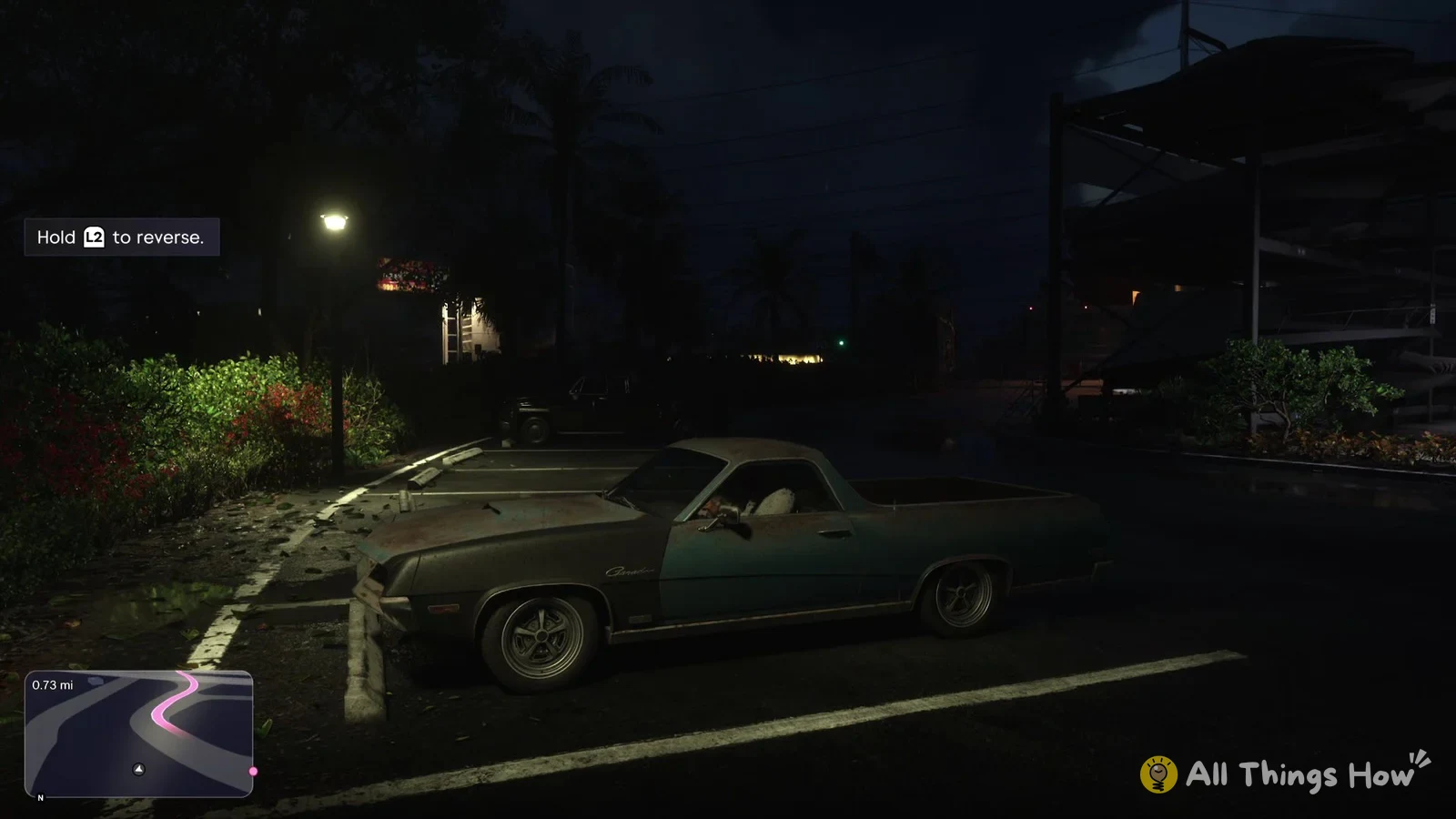
GTA 6 GPS directions rest on three pieces of the HUD, and the three pieces work together while you drive to an objective. The pink route line runs as a thick pink line on the minimap that traces the roads to your destination. That line marks the path the game wants you to take, and it stays in front of your car as you drive, bending with each road.
GTA 6 GPS directions count the distance down as you drive. The distance left shows the total distance to the destination, in the top left corner of the minimap. It counts down as you get closer, and watching it drop tells you the route still points the right way. A counter that stops dropping, or starts climbing, tells you something went wrong before the map does, and that early warning saves a long detour. The number sits small in the corner, and a quick glance reads it without taking your eyes off the road for long.
GTA 6 GPS directions spell out the next turn in a box above the minimap. The box appears only when a turn nears, so it stays out of your way on long straight roads and pops in right when you need it. Read the words, check the distance, and the arrow backs up the words with a direction you can catch at a glance.
GTA 6 GPS directions mix miles and feet on purpose. Distances use miles for the full trip and feet for the next turn. Miles fit a trip total, since a number like 0.73 mi reads clean, and feet fit a single turn, since 46 ft tells you the junction sits just ahead. The minimap rotates with the camera rather than with the car, so if you swing the camera around, the map turns with it while the car heading stays the same. I think that box earns its place above the minimap for exactly this reason.
Drive to Cals House
GTA 6 GPS directions show the whole system at work on the first drive in Chapter 1. Once you get into Jason car, the objective at the bottom of the screen changes to Drive to Cal house, with Cal house picked out in pink. The pink line shows up on the minimap right away, and the corner counter starts at 0.73 mi. That starting number tells you the drive runs short, under a mile, and the pink line gives you the route before you even touch the accelerator. A short first drive suits a new system, since you learn the three HUD pieces on a trip that ends quickly.
GTA 6 GPS directions count down fast on that drive. Pull away and the counter starts dropping, down to 0.69 mi after the first short stretch of road. As the first junction gets close, the box above the minimap pops up with Turn Left and 46 ft. Further along, the box switches to Turn Right at 464 ft. The jump from 46 ft to 464 ft also shows how the box looks ahead.
GTA 6 GPS directions confirm you stay on course in two ways at once. You can tell you are still on course when the counter keeps going down and the pink line stays in front of your car on the minimap. Each new turn prompt shows up in the same box above the minimap as you reach the next junction along the line. The counter and the line back each other up, and when both agree you can drive without a second thought. If the counter climbs or the line slips behind you, you missed a turn, and the system redraws the route from your new position.
GTA 6 GPS directions work best when you let the box lead and the line follow. Try to read the box first at each junction, then glance at the line to confirm the road after the turn. Could you drive the whole route on the pink line alone. Yes, and on a straight run the line alone does the job, but the box saves you at the junctions where the line bends tight and the camera swings wide. Must you open the full map at any point on a mission drive. No, and that stays the point of the system, since the minimap, the counter, and the box together carry everything a mission drive needs.